Best Amazon KDP Categories: Complete Selection Guide 2026
Discover the most profitable Amazon KDP categories and learn how to choose the right ones for your book. Strategic category selection can 10x your visibility and sales.

Your Amazon KDP category selection can make or break your book's success. Choose the right categories, and you'll appear in front of thousands of eager readers. Choose poorly, and your book will be buried under bestsellers you can't compete with.
Amazon allows you to select up to three categories when you publish (updated mid-2023). But here's what most authors don't know: there are thousands of categories on Amazon, and only a fraction are visible during the publishing process. You must choose carefully from the available categories, as KDP support can no longer add additional categories to new books.
In this comprehensive guide, you'll learn exactly how to research categories, choose the perfect combination, and position your book for maximum visibility and sales. Categories work hand-in-hand with keyword optimization to help readers discover your book.
This comprehensive guide reveals the most profitable categories by genre, shows you how to research category competitiveness, and provides a proven strategy for maximizing your visibility without getting lost in oversaturated markets.
Pro Tip: Category selection is a strategic decision that impacts your success. Let's Get Digital by David Gaughran covers this in detail.
Why Category Selection Matters
The Category Advantage
Categories determine where your book appears in Amazon's browse structure. When readers click "Books > Romance > Contemporary" they're browsing a category. Your goal is to rank in the top 20 of at least one category to get that coveted "Bestseller" badge and increased visibility.
Bestseller Badges
Ranking in the top 100 of a category earns you an orange "Bestseller" badge, which increases click-through rates by 30-50%.
Increased Visibility
Top-ranked books appear in "Hot New Releases" and "Bestsellers" lists, driving organic traffic without ads.
Pro Tip: The Two-Category Strategy
Use one competitive category for credibility (e.g., "Romance > Contemporary") and one niche category where you can rank top 20 (e.g., "Romance > Contemporary > Sports"). This maximizes both visibility and bestseller badges.
How to Research Category Competitiveness
Step 1: Find the Category BSR
Go to Amazon and browse to your target category. Look at the book ranked #100 in that category. Check its Best Sellers Rank (BSR) in the product details.
BSR Competitiveness Guide:
- • Under 5,000: Extremely competitive (need 100+ sales/day)
- • 5,000-20,000: Competitive (need 20-50 sales/day)
- • 20,000-50,000: Moderate (need 5-15 sales/day)
- • Over 50,000: Easy to rank (need 1-5 sales/day)
Step 2: Estimate Required Sales
Use our BSR Calculator to convert the #100 book's BSR into estimated daily sales. This tells you how many sales you need to rank in the top 100 of that category. For more details on how BSR translates to actual sales numbers, read our BSR to sales guide.
Use BSR CalculatorStep 3: Match to Your Sales Potential
Be realistic about your launch. New authors typically get 5-20 sales in the first week. Choose categories where you can rank top 100 with that volume, then move to more competitive categories as your sales grow. For a complete launch strategy, check our 15-step publishing checklist.
Most Profitable KDP Categories by Genre
Romance
Highly Competitive:
- • Contemporary Romance
- • Romantic Suspense
- • Paranormal Romance
Easier to Rank:
- • Sports Romance
- • Western Romance
- • Holiday Romance
- • Clean & Wholesome Romance
Fantasy & Sci-Fi
Highly Competitive:
- • Epic Fantasy
- • Urban Fantasy
- • Space Opera
Easier to Rank:
- • Sword & Sorcery
- • Steampunk
- • Dystopian
- • Cyberpunk
Mystery & Thriller
Highly Competitive:
- • Psychological Thrillers
- • Cozy Mysteries
- • Police Procedurals
Easier to Rank:
- • Historical Mysteries
- • Amateur Sleuth
- • Medical Thrillers
- • Legal Thrillers
Non-Fiction
Highly Competitive:
- • Self-Help
- • Business & Money
- • Cookbooks
Easier to Rank:
- • Niche Hobbies (e.g., Birdwatching)
- • Specific Business Topics
- • Regional Travel Guides
- • Technical Skills
Advanced Category Strategies
Strategy 1: The Ladder Approach
Start in easy categories to build momentum and reviews. Once you have 20+ reviews and consistent sales, move to more competitive categories where the traffic is higher.
Example: Launch in "Sports Romance" (easy), rank #1, get reviews. After 30 days, switch to "Contemporary Romance" (competitive) with social proof.
Strategy 2: Seasonal Categories
Holiday and seasonal categories have lower competition outside their peak season. Publish in these categories 2-3 months before the holiday to build rank before competition increases.
Examples: Christmas Romance (publish in September), Halloween Thrillers (publish in July)
Strategy 3: Contact KDP for Hidden Categories
Many profitable niche categories aren't available during publishing. Contact KDP support and request specific categories using their BISAC codes.
How: Email kdp-support@amazon.com with your ASIN and desired category paths. They usually respond within 24-48 hours.
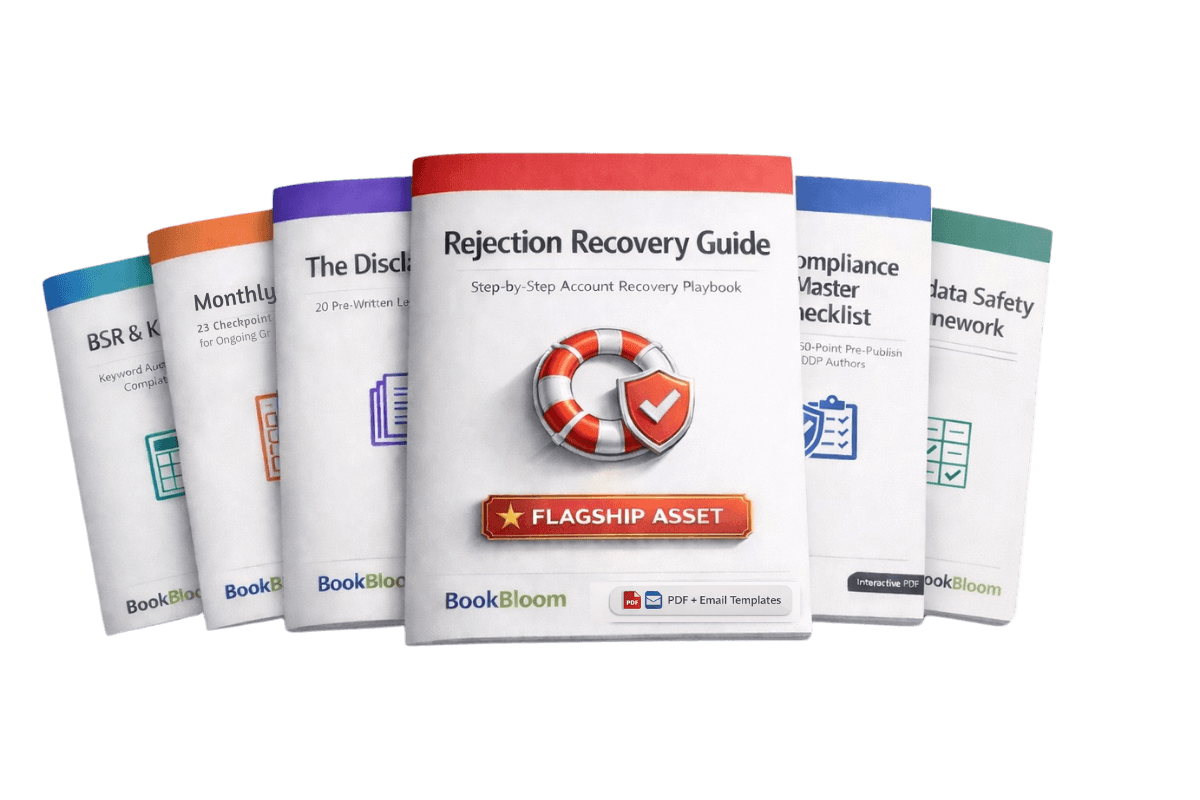
Protect Your KDP Account from Suspensions
Everything you need to stay compliant, fix violations, and recover from rejections
- 50-point compliance checklist
- Rejection recovery templates
- Metadata safety framework
- Monthly audit worksheet
Frequently Asked Questions
Can I change my categories after publishing?
Yes! You can change your categories anytime through your KDP dashboard. Changes typically take effect within 24-72 hours. Test different categories every 90 days to find the best fit.
How many categories can I be in?
You can select 3 categories during publishing (as of mid-2023), and Amazon may place your book in additional categories based on your keywords and content. Note: KDP support can no longer add additional categories to new books published after the 2023 update.
Should I choose broad or niche categories?
Use a mix! With 3 category slots, choose one broad category for credibility, one mid-range category for solid visibility, and one niche category where you can rank top 20. This strategy maximizes both visibility and bestseller badges.
What if my book fits multiple genres?
Choose categories based on reader expectations, not just content. If your book is a romance with mystery elements, choose romance categories if that's the primary draw. Use keywords to capture the secondary genre.
Ready to Dominate Your Categories?
Use our free tools to research keywords and track your BSR performance.
📚 Master Category Strategy & Positioning
These books will help you choose winning categories and dominate your niche:
by David Gaughran
Master category selection, understand Amazon's category system, and position for success.
Get This Bookby Robbie Samuels
Use category data to inform your marketing and launch strategies.
Get This BookAs an Amazon Associate, BookBloom earns from qualifying purchases.
Related Articles

KDP Select vs Wide Distribution: Which Strategy Earns More in 2026?
Compare KDP Select exclusivity vs wide distribution across multiple platforms. Learn which strategy maximizes your book revenue with real earnings data, platform comparisons, and decision frameworks.

Amazon Author Central Setup Guide: Complete Profile Optimization (2026)
Master Amazon Author Central with our step-by-step setup guide. Learn how to claim your author page, optimize your profile, add a professional bio, and use features that boost book sales.

Amazon KDP Pricing Strategy: How to Price Your Book for Maximum Sales (2026)
Master KDP pricing psychology with data-driven strategies. Learn optimal price points, competitive analysis, A/B testing, and how to maximize both sales volume and royalty income.